Due as a part of El Capitan this fall, and available right now as a public beta is the first major update to Photos for Mac, the replacement for iPhoto and Aperture that Apple launched earlier this year.
Here are the major additions you can expect to see in Photos when 1.1 arrives this fall (or when you install the public beta, depending on your enthusiasm):
Editor’s Note: This story was written by Dan Sokol about his experience with Comcast.
Some Background…
Comcast is my ISP. Like most of us in the US we have no real choice if we want fast internet in our homes.
Prior to 2011 my Comcast services included was ‘triple play’. I had internet, VoIP, and the default TV tier (no pay TV services, just the local channels). Sometime around September of 2011, when Comcast ended analog TV service and encrypted the base tier (you had to pay for a TV decoder box), I cancelled the TV service and the VoIP service. (I switched my home phone to MagicJack, but that’s a whole other story.)
In other words, the only Comcast service on my account was the internet.
When I made this change I had to swap out the Comcast rented ‘special’ VoIP modem and return it to Comcast. Comcast provided a box and shipping label to return the old modem. The new modem had the same $8/mo rental fee.
Naturally I checked the billing after the changeover to make sure everything was correct. (For the record, my monthly bill is paid thru my banks ‘Bill Pay’ service. All I do is approve the amount. If the billing amount is the same as the previous month I pay it w/o question. I dont look thru the monthly bill (a PDF) which is only available on the Comcast website.)
FYI, Comcast only allows you to see the previous 12 months of billing on the website.
end of background…
Sometime around April of this year, Comcast sent out an email informing it’s users that the monthly modem rental was being raised to $10/mo. So I expected my bill to increase by $2.
Imagine my surprise when my bill went up $4, not $2.
It seems that Comcast was billing me for 2 modems and had been doing so for years. (This double billing started sometime AFTER they removed the second modem from my bill back in 2011.)
I called Comcast customer support. You probably already know how long and unsatisfying that call was. I spent about 2 hours on the call. Was handed off twice. The customer rep could not see my billing any further back then 1 year.
The bottom line … FU. It’s your fault for not looking at your bill. Here’s $20, that’s all we’re allowed to give you. So sorry.
I told them that I calculated they owed me about $400 and that I would recover another way. I then proceeded to change my monthly internet tier from the top tier (105/12Mbs – $125/mo) to one of the middle tiers (60/4Mbs – $65/mo), thereby saving about ^60/mo.
I also went out an bought my own DOCSIS3 modem, something I should have done years ago.
That should have been the end of it. File under: “It’s Comcast, what did you expect?”
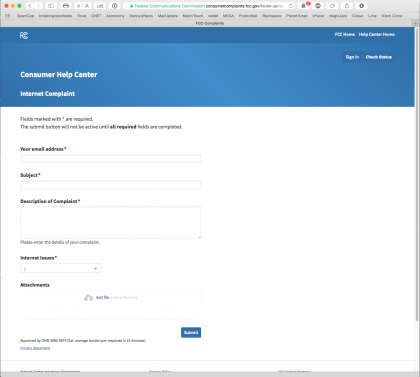
The FCC is now taking complaints about COMCAST. MWAHAHAhahaha….
I followed the link to the Internet Complaint page.
My was surprised at how straightforward the page was and how easy it was to file the complaint.
I filed the form with the FCC on June 22nd. This is the response I got from the FCC the next day.
———— ———— ————
Hi Daniel, June 24, 2015
Your Ticket No. 358465 was served on Comcast Cable Communications on Jun 24 for its review and response.
Comcast Cable Communications will likely contact you in an effort to resolve your issue.
A response is due to the FCC no later than 30 days from today. Comcast Cable Communications will respond to you directly by postal mail.
Thank you for your complaint and help in furthering the FCC’s mission on behalf of consumers.
———— ———— ————
Today is June 26th.
This morning I got a call from Comcast.
An actual apology – The billing error was our fault. (Our software blah blah blah…)
It happened in September 2011 after the Modem was returned.
We owe you $385 and will credit your account by that much.
We will lower your monthly bill by $20/mo for the next 12 months as part of our apology.
I was speechless. They asked me if I had any other issues and couldnt answer. My brain was thinking in Martian (What? What! What?).
In summary, I’m very surprised at the speed at which the FCC and Comcast dealt with this. (Maybe I was just the first one to file with the FCC and the rest of the country doesnt know about the site.)
Of course Comcast does have 12 months to screw this up. I’ll let you know 😉
iMore mentioned that some people that signed up for the iOS 9 beta have been notified that it’s available to download. Mac Rumors says that OS X El Capitan will also be available to day. You can sign-up on Apple’s site to test both versions.
The new version for the Mac is here. I haven’t tried the Mac version, but I’m really impressed with what they’ve done with the iOS version of the apps.
Bad ads on the Internet are a real problem, even on some of our favorite sites. Rene Ritchie has been very open about addressing this issue with iMore, and I commend him for that.
Many companies have best practices and the Hacking Team, the “computer security experts” who sold hacking tools to various federal and state agencies around the world, are no exception. Their database of information includes a number of interesting hacking tips, including mention of a 0-day, unpatched hole in Adobe Flash that the company is currently closing.
It’s long past time that Adobe should do the right thing and stop developing Flash and web site creators should stop using it.
Apple’s smart home platform is gaining another member: the Ecobee3 smart thermostat, the first connected thermostat to work with HomeKit. The Ecobee3 goes on sale today through Apple Stores across North America. It costs $249 and is essentially an alternative to Nest’s thermostat: it detects a home’s temperature and whether anyone is actually around and then adjusts heating and cooling accordingly, with the goal of saving homeowners some money. The thermostat can even be made a bit smarter by buying additional sensors (a pack of two costs $79) that can allow it to detect temperature and presence in other rooms of a house — one sensor is included with the thermostat itself.
The Ecobee3 is a big step for HomeKit. It features remote sensors and is controllable by Siri. To me, this is a product that brings HomeKit into the mainstream.
There’s also an iOS 9 angle here. Writing on Dot Info, Joe Caiati paints this picture of what Apple HomeKit might bring:
Siri finds out that you like to make French press coffee every morning. It doesn’t actually know that detail specifically, but since you ask Siri to set a timer for five minutes every morning in the kitchen, it proactively asks you when you get in the kitchen if you want it to start “your timer” and that it will wait for your go ahead.
It’s all about context. The world is changing. Apple is investing on proactive intelligence in iOS 9, creating a more intelligent context, one that will not only start the coffee, and let you adjust your thermostat remotely, but one that will learn your likes and dislikes, understand your habits and tweak the ecosystem accordingly.
Who makes these? Who buys these? And, especially, who thinks it’s a good idea to have the butt-end of the case sticking out of their pocket, indistinguishable from a real gun?
Ben Lovejoy, writing for 9to5mac, uses iTunes on his Mac to dig into Apple Music.
The bad:
iTunes knows more about my musical tastes than my girlfriend. More than my neighbours, who have sometimes been more familiar with my musical tastes than they might wish. More than any of my friends – even the one who kindly ripped all my CDs for me on his high-end PC with multiple DVD drives.
Think about that for a moment. iTunes knows every single artist, album and track I own. Not only that, but it knows which ones I have put into what playlists. It even knows the exact number of times I have played every single track! And Apple uses none of that data in guiding its Apple Music suggestions. That really is a huge fail, given what could have been.
And the good:
Spotify has proven very, very good at learning which artists I like. It plays those artists a lot. A lot of a lot. Which is great for putting on a playlist and not having to touch it until complete. But not actually great for music discovery, as it only introduces me to a handful of new artists.
Apple Music, in contrast, has already introduced me to more than a dozen new artists that I really, really like. For someone whose tastes are decidedly non-mainstream, and very far removed from the Beats 1 fare that we have to assume represents Apple’s view of its primary target, that’s an impressive achievement.
The price of that has been a fair bit of skipping of artists I don’t like, but that’s the flipside of playing safe. If you don’t yet share my views of its ability to find great new artists, I highly recommend doing what I did and intensively schooling it, offering positive feedback on every single track you like.
Knowing how to use Siri to control Apple Music will really enhance your Apple Music experience, especially if you own an Apple Watch.
At its best, you can use Siri to start music by artist/track/playlist/genre/era. You can pause/resume your music. You can ask Siri about the music that’s currently playing and even tell Siri to “like this track”. Clearly, there’s a lot Siri can do.
But there are any number of holes in the mix. My biggest gripe is Siri’s seeming ignorance about Beats 1. I listen to Beats 1 a lot and Siri seems completely oblivious to it. If I am playing something from a playlist, I can ask Siri “who is this?” and she will tell me. But if I say “who is this” while Beats 1 is playing, Siri will treat this as a Shazam request, going into listening mode.
Clearly, Beats 1 has not yet been integrated. No worries, I know this is version 1.0.
Siri is at her most effective when you know what you can ask her. As far as I know, there is no single repository that lays out all of Siri’s Apple Music commands. Obviously, this is partly due to the fact that Siri’s vocabulary is constantly expanding.
Here are a few posts that do their best to lay out the rules of using Siri with Apple Music. There’s some overlap here, but I found each one brought something unique to the table.
Obviously, there are other lists out there. Please do post anything I’ve missed in the comments, especially if there are some secret commands that will make the Siri Apple Music experience better.
In the read-it-later space, the two dominant players have long been Instapaper and Pocket. Each app has its own strengths and weaknesses, and Pocket has some features that could make it the ideal app for some use cases, but Instapaper is our favorite app for actually reading the best writing on the web … later.
I was an original user of Instapaper but switched to Pocket (when it was still named Read It Later). After reading this article, I’m going to at least give Instapaper another shot.
The linked images are graphic and really give a sense of the risks of riding a bike at high speed as part of a tightly packed group of competitors. All it takes is one small mistake.
Daniel Dilger, writing for Apple Insider, captures an essential difference between Apple, Microsoft, and Google’s music efforts. The difference is the need for music to be a profit center.
On Google’s approach:
In 2012, Google executives were reported to be upset with the lack of interest in Google Music, and particularly dismayed its inability to bring in revenue. One aspect that hurt its adoption was the lack of a mobile app for iOS.
That means Google Music is a lot like Google Wallet: years ahead of Apple, but so poorly planned and implemented that it completely squandered its vast head start.
Google apparently expected its paid on-demand streaming music service to be quite popular among Android users, but instead got a taste of what its Android developers had already been eating: the platform does not attract people who want to pay for things, particularly not anything that can be pirated. Google Music mostly demonstrated the weakness of Android as a platform for supporting commercial apps and services.
And on Microsoft’s approach:
Microsoft’s very different approach to music and video also failed, for reasons that are useful to contrast against Apple Music and iTunes. When iTunes first appeared, Windows Media Player had been leveraging Microsoft’s near monopoly market position for a decade.
Initially a rough competitor to QuickTime for playback, by the late 90s WMP became part of Microsoft’s strategy to deploy global, proprietary DRM that could earn the company licensing revenue not just from PCs but from emerging formats ranging from HD-DVD to streaming content and portable media devices.
Instead of “opening” things up like Google—using inferior formats to sell content from hostile media companies it didn’t respect to its Android demographic of customers who don’t pay for things—Microsoft developed state of the art media formats with difficult to crack DRM and cozied up to media companies with promises of locking up their content so customers couldn’t even rip songs they bought to their own CDs as personal mixtapes.
Microsoft’s customers might have paid for this, had it not been so draconian in its restrictions and flatly tone-deaf of the desires of real people. Microsoft also suffered from the fact that Apple was offering a much less restrictive alternative in iTunes.
The whole piece is much longer and well worth reading.
Bryan Jones is a retinal neuroscientist and photographer. Fortunately for us, he likes to share his images. Writing for his blog:
I started peeping at iPhone pixels under the microscope when Steve Jobs introduced the Retina Display. Why? Because then the concept of a retina display was new and I wanted to see if it was hype. It was decidedly, and scientifically not hype which delighted me to no end. Now, I’m just interested in some of the things on the small side of life and as display technology changes, its an interesting comparison to stick the latest gadgets underneath the microscope from time to time.
This evening, it was the Apple Watch display’s time to go under the scope. That and I promised Craig Hockenberry that I’d get these images for him, so here goes…
All these images were made on an Olympus stereomicroscope with an old Canon 1D Mk III camera used for imaging. Its also important to note that these images were made from the 42mm Apple Watch which has a resolution of 312 x 390 pixels, at approximately 326 pixels per inch which is at a slightly different resolution and pixel size than the smaller Apple Watch model.
I love stories like this. Stephen Hackett talks about that moment when his decision crystalized, a decision to leave his 9 to 5 gig to become a full time writer and podcaster.
Chance Miller, writing for 9to5mac digs into Apple Music. Good review, from someone who obviously loves both Apple and music.
The For You tab is arguably the most useful in the app on iOS and the desktop. When you first launch Music in iOS 8.4, you’ll be presented with an interface that allows you to choose your favorite genres then your favorite artists within those genres. Apple will then use that data to customize the For You tab with suggestions as to what it believes you would enjoy. The tab gets more accurate the more you use the Music app and tap the “heart” option on radio and streaming content. The For You tab also takes into account what you listen to and what you already have in your music library.
I’ve found that the curation aspect of Apple Music is unrivaled by any other streaming music service. Spotify would often try to tell me what artists and songs it thought I should listen to, but often to little or no avail. With Apple Music, however, I’ve already discovered several new artists worth listening to, as well as several playlists that are great from start to finish.
Amen.
One major playlist feature that is missing from Apple Music, however, is collaboration. You can’t start a playlist and invite other users to add content to it. Only one user or source can have master control over the content. It’s a feature that rival services like Spotify offer, …so it’s disappointing that Apple neglected to include it, but it’s nothing that can’t be added at a future date.
Agreed. I’d also like to see a more sophisticated For You interface. As is, when I click on the For You tab, all I see is the tip of a very large iceberg. I’d love an interface that allowed me to winnow the list, perhaps by genre, perhaps by era, etc. My musical tastes run wide. Some days I’m in the mood for jazz, other days electronic, r&b, soul, or driving metal.
As large as it is, the iPhone 6 screen still offers limited real estate. I’d love an interface that respected that. How about an option that presented all my For You options in a tight scrolling list, then let me filter that list by genre/date/etc., select any number of matches, then randomly shuffle them together. Maybe let me fold in the top 20 from the New list to keep things fresh.
In other words, a smart, extensible playlist, that lets me intelligently include everything I can touch with Apple Music.
All this said, it’s important to keep in mind that Apple Music is truly a 1.0 product. I can only imagine that Apple Music 5.0 will be a far different/better product than this version. For a 1.0 product, Apple Music is an amazing achievement.
A lot of people have asked what music I listen to while I do my walks, so I thought I’d put it up on Apple Music. The songs were chosen to keep up a good walking pace—each of the songs makes me want to sing or play air guitar while I’m walking. I hope you enjoy it.
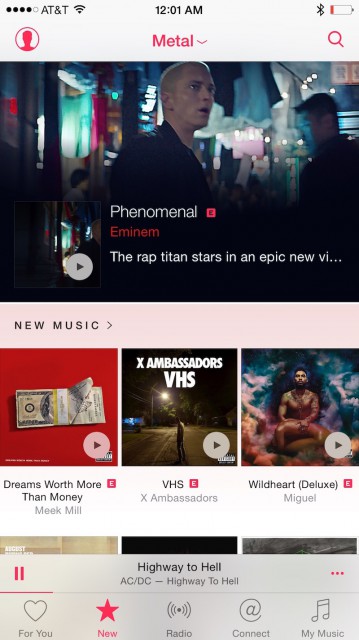
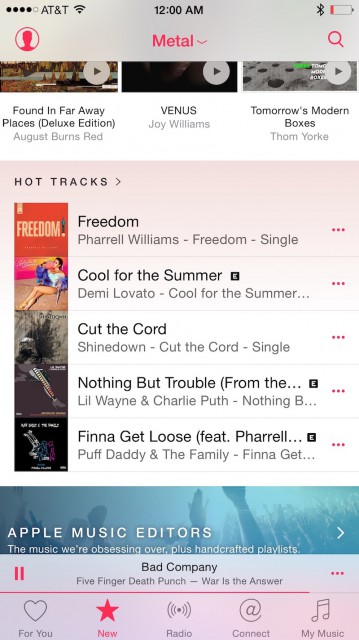
The other night, I checked out the “New” section of Apple Music. Like usual, I switched to the Metal section—when it loaded, I thought for sure someone at Apple was punking me. To be clear, I’m not saying this is a problem, I thought it was funny as hell. I closed the app, reopened and everything was fine. Still funny.
Have you ever slept on a buckwheat pillow? It’s kind of like a beanbag for your head. The hull fill supports your head and neck in a way that can’t be matched by traditional pillows.
Hullo’s features include:
Quality construction & organic materials
Breathable fill that provides cool comfort all night long. No more flipping to the cool side in the middle of the night!
American-made craftsmanship
Free shipping
60-night money-back guarantee
Drop what you’re doing—go and check out Hullo. Try it for 60 nights. If it’s not your favorite pillow, return it for a refund. You can’t lose!
If you go outside at (a particular) time on a clear day, the world around you will be as bright as the surface of Pluto at noon.
It’s always Pluto Time somewhere, and NASA wants to see your view. New Horizons will become the first spacecraft to have a close encounter with Pluto. After the historic flyby on July 14, 2015, we’ll combine as many submitted images as we can into a mosaic image of Pluto and its moons.
Here in Chilliwack, BC, my “Pluto Time” is tonight at 9:20 PM PDT. I’ll definitely be outside taking a picture for NASA.
Susan Bennett, the original voice of Siri, talks about voicing Siri and the fact that her real voice sounds so much different than what comes out of your phone:
“A Siri-like voice is still, at this point in time, very robotic,” she says. “The pitch is a little bit lower…it’s not as evenly paced as if you were speaking naturally.” She told me that few people recognize her on the street, since her speaking voice is different.
One of the greatest examples in business history of a large organization’s maneuverability took place right before our eyes: Apple Inc. In September 2002, Apple’s future was thought to be so bleak you could buy shares in Apple Computer at a price that valued its operating enterprise at less than zero. What you were buying, if you had been so bold, was Apple’s cash reserves of $5 billion. Beyond that, you were buying a prayer that Apple could do something with that cash.
Remember, this was five years after the return of Steve Jobs. Contrary to myth, Jobs did not immediately turn around Apple’s dismal fortunes. Yet just one decade later, Apple would drop the “Computer” from its name but win the world. It would become the richest company on earth in September 2012, valued at $656 billion.
Meanwhile, during that decade of Apple’s extraordinary ascent, other great American companies, stalwarts of reliable business success, fared poorly. Among them were Pacific Gas & Electric, Enron, WorldCom, Tyco, Adelphia Communications, US Airways, Trump Entertainment Resorts, Northwest Airlines, Lehman Brothers, Washington Mutual, Chrysler, and General Motors. Thus, even while Apple prospered, a greater number of American companies went bankrupt or out of business altogether than in any decade in the country’s history, including during the Great Depression.
The book offers an interesting analysis. I think the authors get much of this right, but miss a core element of Apple’s success: The birth and evolution of Apple’s walled ecosystem. And a big reason for the success of that ecosystem was the quality of the operating system on which it was based.
The ideas behind NeXTSTEP, the operating system that came on board with the return of Steve Jobs in 1997, evolved into OS X and, eventually iOS. All of the software on every device Apple makes is either based on or is designed to connect to those operating systems. Obviously, Apple is much more than software, but the consistency of the software interface is a big part of what makes Apple devices feel so familiar, makes them so easy to use. Those underpinnings were a critical part of Apple’s success.
Rene Ritchie, writing for iMore, tells you how to set a timer that turns off your music (whether it be a playlist or Beats 1) after a specific amount of time. Excellent if you like to fall asleep listening to music.
Pretty sure this has been around a while, but the ability to fall asleep to Beats 1 is definitely a new angle here.
Fascinating look at the age group demographics of each of the major social networks. Pay attention to the numbers that show where the major growth is for each.