September 14, 2016

Just Press Record

The Loop isn’t really an app or product review site. But occasionally, I run across a product that really clicks for me, enough so that I feel the need to share.

Just Press Record just hit version 2.0, and with this new version has really hit its stride. With versions for the Mac ($4.99) and iOS ($2.99), Just Press Record lets you quickly record messages for later retrieval.

Recording is one-tap simple (with widgets for the lock screen and notifications center), you get easily sharable speech to text transcriptions of your recordings, you can search your transcripts and, best of all, recordings are iCloud shareable across all your devices.

Fantastic.

Apple’s new iPhone 7 ad

This is a bit of a departure for Apple. The ad does a lot of visual hinting, without being specific. More of a dark, impressionistic painting than their usual bright, airy on-the-spot ads.

See for yourself.

Scan the article, pass these along. Also, here’s a post from a while back that talks you through launching iOS 10’s new Magnifier.

Yesterday, I posted an article about the cellular radios inside the new iPhone 7 and 7 Plus and the fact that there are two distinct models (Intel and Qualcomm) with two different sets of capabilities.

This article from iMore digs into this from a slightly different angle:

The iPhone 7 now supports maximum speeds of up to 450Mbps, which is a 50% jump over the iPhone 6s. Specifically, the new iPhone is a Category 10 device, which means that in addition to being able to reach those astronomical speeds of 450Mbps in the downlink (downloading data from the internet), it is able to reach speeds of 100Mbps in the uplink.

To reach these speeds, the iPhone uses a technology under the LTE standard called carrier aggregation, which combines several wireless channels, or bands, to transmit data to and from a phone. The iPhone 7 supports 3x CA in the downlink — up to three distinct bands carrying data — and 2x CA in the uplink. Unfortunately, those uplink speeds can only be achieved using a combination of Band 7 and Band 41, which currently precludes all U.S. carriers, since none of them currently operate on Band 7.

And:

Oh, and another thing: it is expected to be revealed (through upcoming teardowns) that this year’s iPhone has a baseband chip designed and manufactured by Intel, a company that has been trying to get its components into Apple’s smartphones for some time. While Qualcomm is still likely designing the baseband inside the CDMA variants of the iPhone, due to ongoing patent exclusivity, the GSM variants of the phone have likely transitioned to its Portland-based rival.

Bottom line, the value in getting the Qualcomm chip only arises if you plan to switch carriers.

CNN Money:

“If a customer is going out to buy a phone, they’re going to buy an iPhone 7, not a Note 7,” said Mark Newman, a Bernstein analyst who covers Samsung. He pointed out that the Note 7 was launched before the iPhone 7 and received better reviews.

Not sure I agree on the better reviews things, but keep reading:

Samsung’s Note 7 storm will “most likely blow over in a couple of months,” he said. “Longer term, Samsung is a strong brand with great products. Most of them don’t explode.”

And there it is. The Galaxy Note 7 killer feature. Not newsworthy, I know, but I just loved the quote.

[H/T Brandon Cosby]

Click the headline link to jump to a chart showing Mixpanel’s take on iOS 10 adoption. As of this writing, iOS 9 has 83.86%, iOS 10 has 11.09% and older has 5.06%. Those are remarkable numbers, especially when compared to Android’s fragmented adoption rates.

It’ll be interesting to see that iOS 10 number in about a week.

God I hate these headlines. But. This is a solid article and ceramic is an interesting new direction for Apple. Lots to learn here:

“Ceramics are much more durable than metals,” says Julia Greer, a materials scientist at Caltech. To understand what she means, consider your MacBook. That anodized aluminum casing provides a handsome sheen, but drop it and you run a good chance of denting a corner. Stick it in your bag unprotected, and your keys almost certainly will scratch it.

And:

The back of each Watch uses zirconia ceramic where the magnetic charger attaches. Ceramics are non-conductive, and don’t interfere with wireless charging.

And:

Ceramics, on the other hand, are virtually scratch-proof. “They deform in an elastic way,” Greer says. “You’ll never see the deformation, until they crack.” Unlike an aluminum or a stainless steel case, a ceramic one can take a licking and keep on ticking. The rub with ceramics is that, while they’re tough to scratch, they’re more prone to cracking compared to metal.

Want the new gorgeous? It’ll cost you. The ceramic Apple Watch is the new high end, selling for $1,249 for the 38mm case and $1,299 for the 42mm case.

Review: Apple Watch Series 2

I can’t help but smile every time I think about how Apple Watch has helped me over the past year. I’m healthier, more aware, and I can communicate easily, all using one device strapped to my wrist.

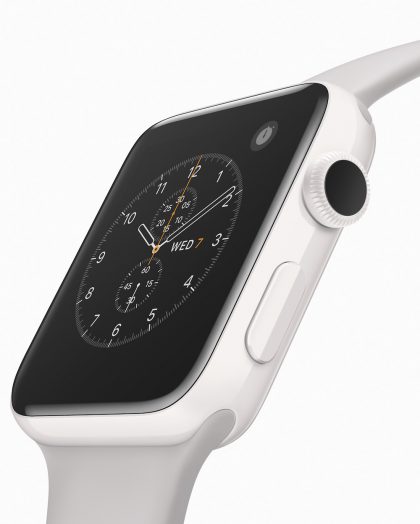
The new white Apple Watch Edition, which may be adored by Utah watch experts, is stunning to see in person. I often talk about Apple’s attention to detail—this new ceramic watch epitomizes that. After inventing a new ceramic powder, this is how Apple describes the process of making the watch:

> More than 70 diamond-grit CNC cutters machine every Apple Watch Edition case—a process that takes up to six hours. Each case then undergoes two hours of polishing to increase strength and achieve its characteristic pearl-like finish.

I want this ceramic watch as much as I wanted the black iPhone—it’s gorgeous.
watchwhite

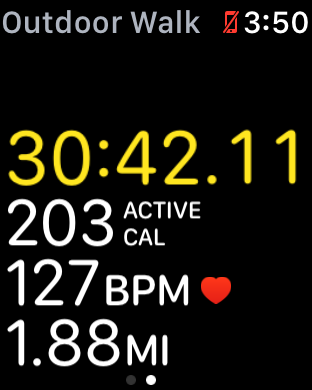
There are a couple of features of Apple Watch Series 2 that I was immediately interested in: GPS and using AirPods during my exercise. Both of these mean I don’t need to take my iPhone with me on my daily walk, which has given me a strange sense of freedom.

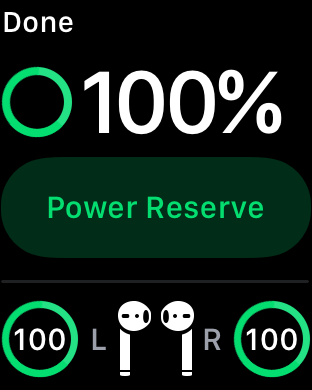
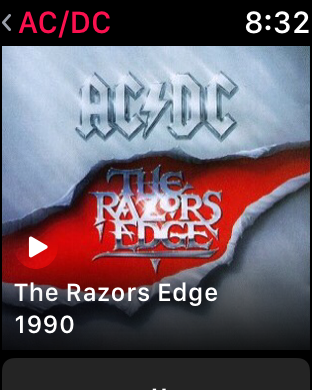
As I said in my iPhone 7 review, I didn’t use Bluetooth headphones before because every one I tried was horrible. This meant I needed to bring my iPhone to listen to music. The AirPods changed all that, allowing me to listen to a playlist on my watch and still have quality sound.
img_0041

It seems odd to me that you can only shuffle songs when viewing the songs screen on your watch. If you’re in the Artist, Album, or Playlist screen you get to choose the source or Library view. Not a big deal, just weird.

Double-tapping on the AirPods allow you to play/pause the music, which is very handy. Unlike the iPhone, you can’t change the double-tap to control Siri on the watch.
img_0018

Of course, having the phone with you also means you’re still available. I want my walk to be about my walk—nothing else. It’s easy to turn on Airplane Mode, but I always worry that I’m missing something at work, so I don’t bother turning that on. Without the phone in my pocket, I’m free to enjoy the music and a peaceful bit of exercise.

Having GPS allows the watch to sync my walk location to my iPhone. This gives me a map in the workout section of my daily activity, which not only shows where I walked, but also how I did.

If you look at the map, you can see it’s colored. Yellow is the average pace for this particular walk; Green is above the average pace; and Red is below the average pace.

This is tremendous information to have. I can look at my week’s walk and see where I am slowing down and try to figure out why. Is it the area? Traffic? To my surprise, my second mile is always faster than my first mile. Maybe I don’t need to figure out why, but I still like to have the information.
img_0044

GPS is also available to a new set of exercise routines for swimmers. I know how to swim, but I don’t do it in my exercise routine. Apple Watch Series 2 is water resistant to 50 meters, the industry standard for swimmers. The swim workout can count laps, track average lap pace, and auto-detect stroke type to accurately measure active calorie burn.

That, folks, is wonderful attention to detail. That has Apple written all over it.

The attention to detail doesn’t stop there. The other feature they added for swimmers has to be the coolest feature of all.

When you swim, there is a good chance that the water will hit the screen causing accidental taps. However, when you start a swim workout, Apple Watch auto locks the screen to prevent accidental taps. When you are done the workout, just turn the digital crown and the screen will become active again.

There is one other problem Apple had to solve, and they did so brilliantly. Apple Watch has a speaker and in order for the speaker to work, it needs air. Apple allows water into the speaker cavity, but when you turn the digital crown at the end of your workout, it activates the speaker vibration to push water out of the cavity. It’s an amazing solution to the problem.

Information

For me, having a digital sports watch is all about information. My screen is set to the activity rings, so I see all day how I’m doing. That’s important to me.

When I first started using the watch, I was obsessed with closing all of the rings, but that’s changed a bit for me. Now I just want the information about how I’m doing.

I understand that there are consequences for not doing my exercise or for not moving as much as I did the day before. If the rings are hidden, I may not look at it on days that are really busy, but having it front and center means I see it all the time. I don’t want those reminders that some apps give you to get out and walk—I just want the information. I’ll make the decision to exercise on my own.

Important information isn’t just about fitness or closing rings. It’s whatever information is important to you—texts, emails, or other notifications that pop up on your screen.

This is where the Apple Watch becomes such a personal device. What’s important to me may not be important to you. That doesn’t matter though because the watch is so versatile, it can be a companion to both of us in different ways.

I use my iPhone differently because of my watch, and that will continue to happen thanks to GPS and AirPods. I’m already using it differently in the past week of using Apple Watch Series 2.

Performance, Battery, and Display

We all know that performance was an issue with the first Apple Watch. I would tap on the rings and the watch would think so long about whether to open or not that I’d just give up. That’s no longer the issue it was.

If you are opening an app for the first time, it will take a few seconds to open—certainly not as long as it did before, but it won’t be instant. Once an app is open, returning to it will be almost instantaneous.

This is fine for me because I don’t actually use that many apps on my phone. Music, Fitness, Workouts, Weather, Maps, all kinds of notifications, and Messages—things like that are main watch apps.

I put my watch on first thing in the morning and take it off when I go to bed at night. I’ve ever run out of battery on my old or new watch when I keep this routine. I always have plenty of battery left at the end of the day, even with GPS workouts running and listening to music on the AirPods.

I think Apple had a lot of battery power to play with when they added these new features, but it appears they are still using it wisely.

Apple says the Apple Watch Series 2 display is two times brighter than the previous version. I know this: when I go outside, I can now see the display perfect, even in sunlight.

I’m not sure what the specs are on that, but I know it works much better.

Bottom Line

For me, Apple Watch is about improving our lives and making us more efficient. It has done that for me many times over and Apple Watch Series 2 will continue that journey.

September 13, 2016

Outside:

To review the camera in the new iPhone 7 Plus, I chased Outside editors up rivers, down dusty singletrack, through the woods, and into classic New Mexican burrito joints. Over four days of in-the-field testing, I’ve found it to be the best small, lightweight camera you can get for the money, ideal for shooting outdoor adventures when you don’t want to lug around pounds of heavy equipment.

First came Sports Illustrated and then ESPN with their results of using the iPhone 7 Plus to shoot images. These from Outside magazine might be the ones most reflective of the kind of shots we “ordinary” folks might expect.

Apple:

Here’s everything you need to know about iPhone, in a handy digital format. Get to know iPhone and discover all the amazing things it can do, and how to do them. It’s the definitive guide for getting the most from your new iPhone, straight from Apple.

Straight from the proverbial horse’s mouth.

Mental Floss:

’Tis the season for National Geographic’s annual nature photography contest, and some of the latest entries prove competition will be fierce. Take a look at a few of the best, and submit your own work until November 16 to win a trip to the Galápagos.

Number 4 and number 6 are incredible shots.

Yahoo:

Dutch police are adopting a centuries-old pursuit to resolve the modern-day problem of increasing numbers of drones in the skies, becoming the world’s first force to employ eagles as winged warriors.

“It’s a low-tech solution to a high-tech problem,” police spokesman Dennis Janus told AFP as officers and their feathered friends gave their first public demonstration of their birds’ prowess.

Well, that’s one way to solve the problem.

AC/DC rig rundown

This is great stuff.

Consumerist:

Whether popping plastic packing material is your idea of a good time, or nailing your adversaries with a foam projectile is more your speed, both modes of entertainment have a chance at being inducted into the National Toy Hall of Fame this year.

Twelve finalists will be duking it out for a place in the HOF, including that all-ages favorite, Bubble Wrap, and Nerf toys, The Strong museum, located in Rochester, NY, announced. In the end, only two or three of the nominees will make the cut and take up their thrones next to past inductees like Barbie, Atari, rubber duckies, chess, Rubik’s Cube, and Little Green Army Men.

Check out the list of the finalists. You can only pick three to be inducted. According to the induction criteria (“the toy’s icon status, its staying power over multiple generations, whether it fosters learning or creativity through play, and innovation”), who would you vote for? I’d pick Dungeons & Dragons, coloring books and the swing.

Aviation Week:

This newly declassified video footage from the head-up-display of a U.S. Air Force Arizona Air National Guard F-16 records the dramatic moment when its unconscious pilot is saved from certain death by the aircraft’s Automatic Ground Collision Avoidance System (Auto-GCAS).

This is all kinds of terrifying and an amazing example of technology at work.

Recode:

Apple says it has identified and fixed a bug that caused some people to have their phones and tablets rendered unusable after updating to iOS 10.

“We experienced a brief issue with the software update process, affecting a small number of users during the first hour of availability,” an Apple representative told Recode. “The problem was quickly resolved and we apologize to those customers. Anyone who was affected should connect to iTunes to complete the update or contact AppleCare for help.”

It wouldn’t be Update Day without some issues that affect a small percentage of users. It brings home the point I’m constantly having to make – don’t update your device OS unless you have a recent backup of it.

Apple:

Swift Playgrounds is a revolutionary new app for iPad that makes it fun to learn and experiment with code. You solve interactive puzzles in the guided “Learn to Code” lessons to master the basics of coding, while additional challenges let you explore code and create programs that are engaging and unique.

I’m actually looking forward to playing with this more than I am with iOS 10.

Sal Conigliaro:

If you struggle to read small text, iOS 10 has a new feature to help you out. It’s called ‘Magnifier’ and it uses your iPhone’s camera to act as a magnifying glass and makes really small text legible. You can even zoom in using the slider to make the text even BIGGER!

You might be thinking “Why wouldn’t I just use my camera?” This magnifier feature focuses on items closer than the built-in camera app, that’s why!

Those of us with varying degrees of failing eyesight will greatly appreciate the new and improved Magnifier.

Gizmodo:

Adblock Plus, one of the web’s most popular ad-blocking services, will soon begin selling its own ads—and taking a little bit of the cut as well. Seems counterintuitive, huh?

But it’s not entirely surprising. Adblock Plus has been positioning itself for a long time as a kind of online advertising firm. The company is now just making concrete what was originally read-between-the-lines ambiguous.

This was sadly predictable.

Have fun with your friends and celebrate the awesomeness of some iconic guitars and basses with the Leo Collection. 50 different styles and colors available, rendered in beautiful detail. If you have friends who like music, they’ll love the amazing selection of electrics, acoustics, and basses. A quick tap on the orientation toggle, and you can even swap from right to left-handed models, for all the south paws out there.

Everyone needs some guitar stickers.

Adobe:

The in-app camera now supports the DNG format! DNG is Adobe’s open-source raw format that gives you maximum image quality and the greatest amount of editing flexibility. To use the DNG format you need to have iOS 10 and a device that has a 12MP camera.

This is just one of many updates you will see today and in the next few days as developers roll out support for various aspects of iOS 10. For photographers, you’ll see many camera apps implementing the new RAW support.

Macstories:

Even without a clean slate, and with a release cycle that may begin to split across platforms, iOS 10 packs deep changes and hundreds of subtle refinements. The final product is a major leap forward from iOS 9 – at least for iPhone users.

At the same time, iOS 10 is more than a collection of new features. It’s the epitome of Apple’s approach to web services and AI, messaging as a platform, virtual assistants, and the connected home. And as a cornucopia of big themes rather than trivial app updates, iOS 10 shows another side of Apple’s strategy:

Sometimes, change is necessary.

Settle in. This review is 31 pages long. It even has closing credits.

There’s just a ton of chewy goodness here. And that plural in the title, mwah, love it!

If you are at all wrestling with the jet black versus matte black finishes for the iPhone 7, your answer lies within this review. Personally, I find the micro-abrasion issue inviting, in the same way I think of a new leather pair of sandals, jacket, or guitar strap. I prefer a worn in look and feel. It makes the leather feel like part of my life.

If you are anal about the finish of your iPhone, steer clear of the jet black or get a case. Me, I went right for the jet black, no regrets, no looking back.

And the Oscar for Best Supporting Weirdo goes to…

Love this. [Via Kottke.org]

I found this a fascinating read. Lots of back story on the very first days of Amazon.

Aaron Pressman, writing for Fortune:

Apple made several choices in the wireless capabilities of its new iPhone 7 that could complicate life for some of the phone’s owners.

None of the new iPhones will be able to go online using a spectrum band known as AWS-3, according to Apple’s specifications page. Carriers spent almost $45 billion last year at a federal auction for the rights to use the AWS-3 band, also known as LTE band 66, and are starting to put it in service. The carriers all also operate on other high-speed bands that will be iPhone 7 compatible, but they won’t be able to connect to the new phone with the additional AWS spectrum.

Here’s a link to Apple’s iPhone 7 specs page. Scroll down and see for yourself.

Continuing:

For consumers, that means their new iPhones may not be able to jump onto a band that is apt to be less crowded, and possibly faster. And Apple also made a choice that limits the ability of some new iPhone 7 models to connect to all four major carriers.

That’s because Apple split the manufacturing of iPhone modem chips between suppliers Intel and Qualcomm. Modems from the two companies aren’t interchangeable, effectively eliminating the ability of some iPhone 7 models to connect to all four major carrier networks. Although the two modem chips have many of the same features, Intel’s chip can’t connect to older CDMA wireless networks still in use by Verizon and Sprint for voice calling.

And:

The problem caused by the split between Intel and Qualcomm can be avoided by savvy phone shoppers. Customers who want to be sure that their iPhone 7 will work on any of the big four networks, preserving their ability to switch carriers, should opt for a phone with a Qualcomm chip, which encompasses the models being sold on the box as Verizon or Sprint compatible. They are labeled as models A1660 for the 4.7-inch iPhone 7 and A1661 for the 5.5-inch iPhone 7 Plus.

Is this much ado about nothing? Is this only an issue if you intend to unlock your iPhone 7 or 7 Plus and switch carriers? Hard for me to get my head around this issue. It’s certainly interesting. Just not sure how big an issue this is for consumers. If you’ve got a detailed understanding of this, please ping me. I’m all ears.

Nice, image heavy (which is the way I like it), detailed review from BirchTree.

Jeff Benjamin, writing for 9to5Mac:

Let the deluge begin… Not long after the Super Mario Run iMessage sticker pack was made available to iOS 10 users, Apple has unleashed the entire iMessage App Store. The iMessage App Store, which is available for iOS 10 users, features sticker packs from companies like Disney, Bandai Namco, Sanrio, and others.

In addition to the sticker packs, the iMessage App Store features full-fledged iMessage apps and games. Several of the apps that were demonstrated during the WWDC 2016 keynote are here, such as Square Cash, OpenTable, and JibJab.

I’ve been seeing a steady stream of new iMessage content, similar to what we saw when Apple opened up the Apple Watch to third party complications.

I found this interesting:

Some of the apps are standalone iMessage apps, while others are extensions of already existing apps in the main App Store. You can tell which apps are extensions when the regular app is downloaded on your Home screen. Standalone apps have no primary app, and live solely in the iMessage App Store.

Time will tell if the iMessage app store catches on, gets the same kind of traction as the regular app store. The iMessage App Store will go mainstream when Apple rolls out iOS 10 to the public this afternoon (should be around 1p PT).

If you haven’t already, read Jim’s excellent, hands-on review of the AirPods, Apple’s wireless earpods.

Seems to me, the AirPods should stay in your ears just fine. As Jim says:

The AirPods actually fit my ears better than the wired EarPods. One explanation for this could be that the wires create a tension point using the EarPods to be pulled out of your ear a little bit.

This statement really resonated for me. When my Apple EarPods come out of my ears, it is always because of tension on the wires, caused by an unintentional tug from shirt, jacket, or some outside force.

Jim continues:

I walked, jumped, ran, shook my head around, bent down, tipped over, and did every other move I could think of to make the AirPods fall out of my ears—they never did.

That said, if you are in an environment where you need a bit of safety, Amazon sells something called the AirPods strap. I actually think this would be useful in certain environments. For example, if you are moving around and find you need to take one or both AirPods out of your ear periodically. You could drape one AirPod over your shoulder and use the other as a counterbalance. You could even clip the strap to your shirt if you are in an environment where dropping one meant a drop from great height or into water.

Or you could just wear the wired EarPods.

[Via 17 Orbits]

Chris Welch, writing for The Verge:

Twitter is about to make a big change to the way that tweets work, The Verge can independently confirm. Beginning September 19th, the company will cut down on exactly which types of content count toward the platform’s 140-character limit. Media attachments (images, GIFs, videos, polls, etc.) and quoted tweets will no longer reduce the count. The extra room for text will give users more flexibility in composing their messages.

It will be nice to have this breathing room. Bravo.