
Not all of us use Macs to manage our iPods. Maybe you use Windows PCs at work, or perhaps you have a mixed environment at home. I’ve often been asked what tools I use for the iPod, so I thought I’d go over a Windows one today. 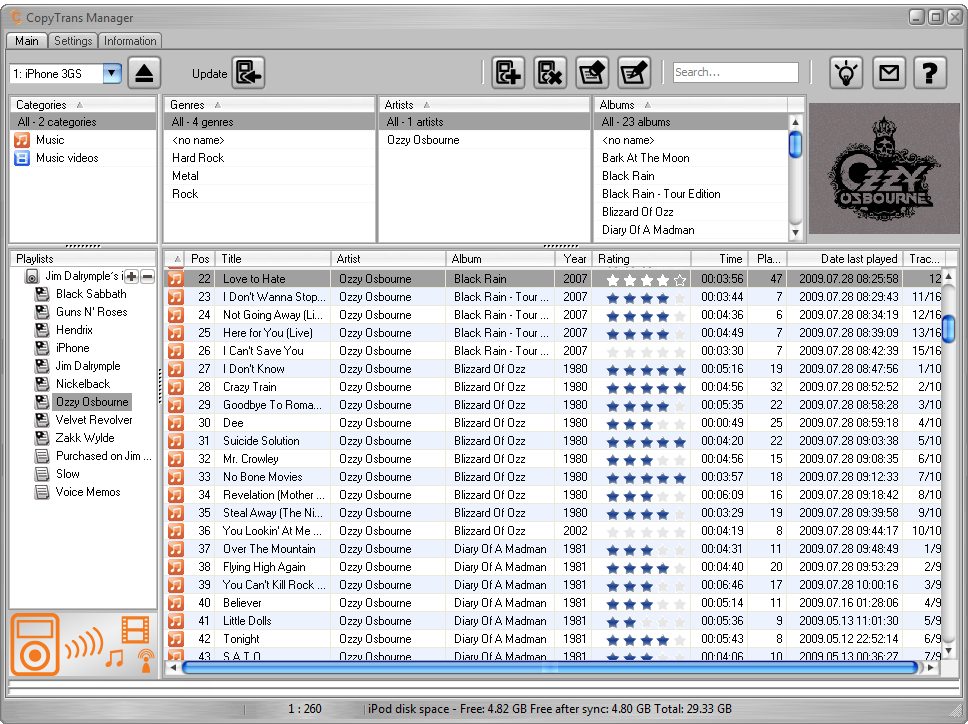 CopyTrans has a suite of applications for Windows users that handle a variety of tasks depending on which apps you choose to download. I’m going to focus on the free CopyTrans Manager.
This app does just what the name implies — it helps you manage the media on your iPod or iPhone.
When the app first loads you are presented with the CopyTrans Control Panel, which has links to all of the apps the company offers. If you click on an app you don’t have, it will be downloaded to your hard drive. If you have the app, it launches it for you.
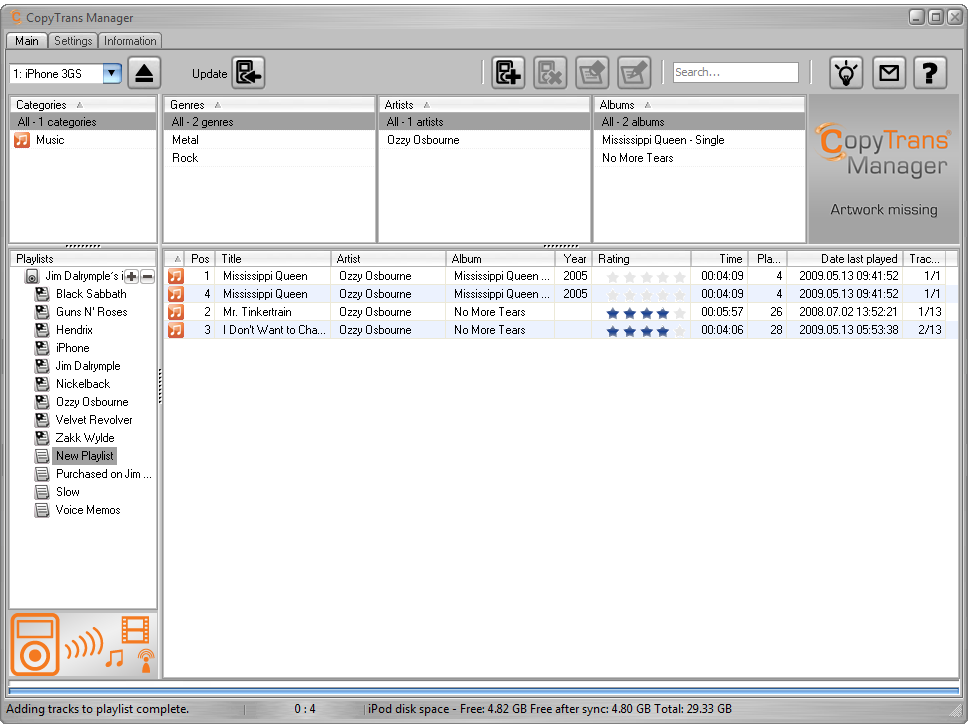 When CopyTrans opens, it loads your device’s playlists, artists and videos, if you have any loaded your iPod. You can play non-DRM songs by just clicking on them — another play window opens to give you control over the song. You can right-click any song and add it to the player to listen to multiple songs.
You can add a playlist to your device by clicking on the “+” button on the left hand side of the interface. You can then add tracks to the new playlist by dragging and dropping the tracks you want to have.
There are buttons to edit the metadata, like the artist and album information; adding songs to a playlist; remove songs to a playlist; and to sync any of the changes you made to the device.
 There is a setting to have the changes automatically synced to the iPod, but I’d rather do it manually when I’m all done.
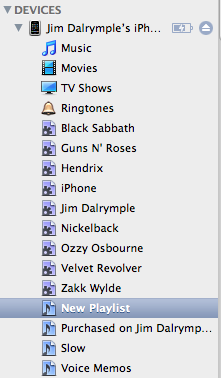
Of course, working in a mixed environment is great, unless the apps don’t work together properly. I’m happy to say that whatever playlists you make from CopyTrans Manager to your iPod or iPhone are also recognized when you get back to your Mac.
It is important to note that you can’t copy songs from the iPod to your computer with CopyTrans Manager, but it can be done with the full version of CopyTrans.
Overall, I really liked the app. If you find yourself in a mixed operating system environment and want to make changes to your iPod or iPhone, CopyTrans Manager worked great for everything I tried to do with it.