
Making Sense of Technology
Advertising rates and a variety of new placement spots are now available on The Loop. Visit our advertising page for more information.
You can follow The Loop to get the latest important updates. You can also follow Jim Dalrymple’s personal messages.
By Peter CohenFebruary 22, 2010, 4:52 am PT
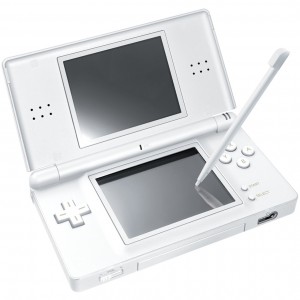
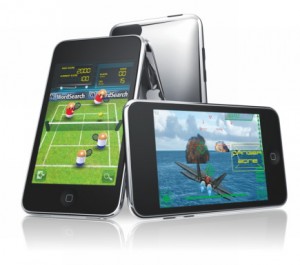
Two of my three children now use iPod touches for gaming. They haven’t totally supplanted their Nintendo DS Lite systems, but the tide is turning in the iPod touch’s favor. Here are some of the most common complaints the kids in my house have made, and how the iPod touch has solved them.
“Can I have this game?”
The cost of buying a new game for the DS is still much higher than an iPod touch game. You can argue that some DS games offer a richer gameplay experience, but as an impulse buy, it’s easier for a kid to convince his parents to spend $1 – $10 for a single game than it is to spend $20 – $40.
Thanks to free trial versions, my kids are able to try out a lot of games before spending their (or my) money. That’s saved them some heartache and it’s saved me some frustration.
“Give me my game back!”
With three kids in the house, each with their own DS, eventually one will covet another’s game. This usually results in an argument, and sometimes an all out fight.
In the DS’s case, the easiest way to maintain some sort of household peace is to buy a second (and in my case, third) copy. But that runs up the price to play dramatically. Fortunately, the iPod touch, iTunes and Home Sharing fixes this problem: Buy the game once, share it around the house.
Up to five people, each with their own computers, can share the same apps thanks to iTunes’ Home Sharing feature. And in the case of my younger son, who doesn’t have his own computer, his iPod touch is synced to my Mac. So that doesn’t count as an additional authorization. In practical terms, this means that once I’ve bought a game, we can play it on all the iPhones and iPod touches we own.
“What happened to my saved game?”
Nintendo DS’s store their saved game files on the individual game cartridges. But there’s a finite amount of storage space associated with saved games. If players share the same game cartridges, every once in a while they mistakenly overwrite each other’s files. This has happened a few times. In their dark moments, sometimes my kids have attributed this to malicious intent: “You wrote over my game because you’re jealous at how well I was doing!”
Again, with the iPod touch, this simply hasn’t been an issue. Different games, resident on different systems, occupying different memory.
“I can’t find my game.”
I wish my kids were better organized than they are, but they will occasionally lose track of where they put their DS games. Usually it comes at the worst possible time, like shortly before a road trip, when not having the game is likely to cause both the child and the adults in the house the most stress possible. This issue disappears when all the games are resident in memory on the device.
“This game doesn’t work anymore.”
Over the years, my wife and I have collected plenty of games that have been put through the laundry and never work again. It’s like finding two $20 bills shredded up in someone’s pants pocket, and it drives us crazy. I am pleased to report that this never, ever happens with iPod touch games. Sure, the iPod touch itself has a remote chance of being put through the wash, but it’s easier to spot in someone’s pocket than a DS cartridge.
And thanks to automatic backups on synchronization, it’s trivial to restore an iPod touch to a previous state if something bad happens to it. Not to say this is a regular occurrence.
“I can’t find my stylus”
Nintendo DS systems ship with a stylus pen, because one of the screens is touch-sensitive. The devices have a built-in stylus holder, but often times my kids’ styli haven’t made it back to where they belong. This usually means a trip to the store (or Amazon.com) to buy a replacement pack. Those styli also wear down after a while, which again requires replacement. They’re inexpensive, but it’s a pain.
Staying in touch
I’m an iPhone user, of course. So I have the option of installing the same games that I buy for my kids on my device. That has two practical benefits: I can keep an eye on what they’re playing by playing the games myself, and I can use the games as a way to stay connected with the kids.
I’ll admit that some of the games my two iPod touch-equipped kids play hold limited interest for me. But I have a lot of fun with many of the games I’ve bought for them, and it’s a great way of staying in touch with what they’re doing. It gives us a point of discussion after school, when I’m driving them places or around the dinner table. In some cases we’ve played games together over Wi-Fi or Bluetooth. And we’ve also connected through the social networking frameworks embedded in some games.
As I said at the outset, the iPod touch hasn’t completely supplanted the Nintendo DS in my house. One of my brood still swears by her DS, mainly because the system has more of the games she likes to play, and despite the App Store’s vast library of games, the specific titles she wants still aren’t there.
Games for the iPod touch continue to improve, it’s a sleek and elegant gaming system that more and more kids have these days, and it has utility beyond just gaming: one of my kids uses it to e-mail his grandparents (and me), another uses it to instant message with his friends.
From my perspective, and increasingly from two of my three kids’ perspective, the iPod touch is the go-to portable game system that works the best for our lifestyle.
Please take a minute to Tweet, Like, or Share this post with your friends.
Share
You've made lots of great arguments on this one! I own an iPod Touch and a DS, so I understand the issues you have outlined and would consider an iPod Touch as an alternative for my kid. However, to be fair, I would like to point out that the initial investment is a little more on the iPod Touch. It is $130 for the cartridge based DS you mentioned above, but $200 for the iPod Touch. The DS will need a screen protector and case (no lost L or R buttons, please!) for $15. The Touch will also need a peanut butter proof screen protector and case, but it will cost you $45 or more.
I still think the iPod Touch is a good deal, and in the end will probably cost you less, but consider your initial output as well. You might want to start with the DS and GameBoy cartridges for your younger kids. The cartridges are bigger and can be bought used for as little as a few bucks, sometimes, and are still available starring characters the kids know. Later you can move on to the smaller cartridges when they've become more responsible. When the kid is a little older (8? 11? depending on their maturity) I think the iPod Touch would be great, for all the reasons you listed.
Great article. Thanks!
I think in my case the DS is still the platform of choice. My kids are still very young and they love there DS systems. Although my boy is starting to eye my iPhone quite often.
I hate styli. When I had a Palm, I lost a stylus every trip I was on. I had a 5 pack of them in my laptop bag.
The home sharing thing is amazing. I'm really surprised that doesn't get touted more often. $3 game and you can play on 5 computers. Ground breaking. And even as a single guy without kids, I intend to use that to share between iPad and iPhone. And I actually think it encourages spending more. I think parents are way more willing to spend $20 on 4 games their kids can share than $20 on 1 and pass the cartridge around.
Peter, the wife and I had this conversation over the weekend. I was about to ping you on twitter, but I see you one-upped me with an article on the subject.
The one thing I (er she) has questions about is parental controls on the iPod Touch. I told her it shouldn't be a problem since it would be tied to our iMac and I'd see all the apps that were on there, but I'd be interested in hearing your opinion. My son is 6, and this would be his 7th birthday present.
I REALLY don't want to get him a system that has cartridges and other pieces that he can lose. Right now he's got one of those Leapster systems and we never can find the games for it.
Parental restrictions on the iPod touch are basic but effective. It's password-protected, and once initiated you can specify what age rating for apps you'll allow on the device – don't allow any, allow all, or 4+, 9+, 12+ or 17+.
You also can specify age rating limits on movies and TV shows, and allow or disallow explicit-rated music and podcasts (so your precious snowflake's tender ears aren't burned by my Angry Mac Bastards podcast, for example).
Depending on how you have it set up, you have as much or as little control over what makes it onto the iPod touch as possible. I don't generally let my younger son download content from the App Store, and since he's using my account and doesn't know my password, it stops there. I check the app out in iTunes before I download and sync it.
Hey Zack,
I have a 6 year old daughter that turns 7 in April. She has a DS but has been begging for an iPod Touch. She "borrows" my iPhone all the time. I would say that there are more games on the DS that cater to the things she likes, but the huge library of iPhone/iPod apps is hard to ignore. As such, yes, I walk around with a "Dress up" app on my phone.
Anyway, I agree with Peter's advice. Parental controls are there, but more importantly, you should keep the password for your account private and review all apps before synching them to your son's device. The other benefits as described in this article heavily favor the iPod Touch over the DS. Anyone who has kids that have a DS can relate to this article.
just one tiny detail. you do NOT need multiple computers as the article implies. one computer can sync as many devices as it wants. you'll just want to turn off auto syncing so Mommy's contacts aren't in the kids ipods.
I actually made that point in the article as well, when I said, "And in the case of my younger son, who doesn’t have his own computer, his iPod touch is synced to my Mac. So that doesn’t count as an additional authorization."
But thanks for reenforcing the point, I think it's important to underscore, because some people get confused about that.
or better, give your kid their own user account on the family Mac (PC?) with parental controls turned on to sync with, to keep them out of your stuff. and every time they use the iTunes account to buy, you get an email statement in a couple of days, so you know exactly what they are getting and how much they are spending. you can set up a separate account for them that you administer …
So the next question (or perhaps the next article) is, which games get a lot of replay, which ones are "fun for the whole family", and which are most similar to DS games?
My son has two DS systems. A DS and DSi his aunt got him as soon as it came out. That should give you an idea of his original state of addiction to the DS. He's now about to turn eight and he got he's first DS for his sixth birthday.
All this considered I find it amazing that he has played less and less with the DSs and never fails to pass on a chance to play something, anything, on my iPod Touch.
As a father or a 3 year old and a 6 month old I do not see myself ever needing to purchase a D.S. There is a ridiculous number of high quality educational and entertainment based games for children of all ages on the iPhone and the pace at which they are coming out is staggering. As a classroom teacher in an elementary school I often hear students talk about their D.S. but often they brag to eachother over who got to use their older brother/sister's iPod Touch.
When I upgraded to the 3GS I deactivated my old gen. 1 iPhone, popped out the SIM, put it into airplane mode, and loaded all the kids games right to front screen. Now my older son has an "iPhone" but really I am thinking in a few years he will scoff at the D.S…. The only thing I could think of that would make him want the D.S. would be specific games that his friends play.
I do however understand @Sherbert's comment above regarding initial cost. For our family we don't see the cost… at least directly. Our son has a "hand-me-down". Eventually when the crawling bugger gets older he will get my wife's 3G. In both situations though my boys will have "Touch" devices, even if they are phones.
I bet this whole article was posted by apple. A full article ragging on ds's the big touchscreen system other then the Itouch. a little suspicous
i pod touch isn't a gaming system