
Of all the things we do with our iPhones, one of the most popular is certainly taking and sharing photos. The best part is the iPhone allows us to do all the basics without even connecting to a computer.
However, there are apps available on the App Store that will help you take better photos and edit them before you upload them to MobileMe, Facebook or Twitter. I’ve gathered a few of the best ones below.
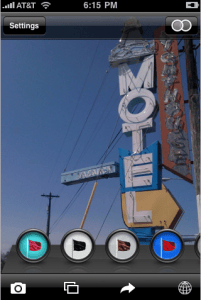 Best Camera: Not a bad name for an iPhone camera app, especially if it’s created by world-renowned photographer Chase Jarvis. This app does a little bit of everything for the iPhone photographer, including the ability for users to enhance images with a selection of one-touch filters. The filters are based on some of Jarvis’ most well-known work like Jewel, Paris, Slate, and Candy. You can share photos from within the app directly to Twitter, Facebook, email or thebestcamera.com. Best Camera costs $2.99.
Camera Zoom 2: This apps one of the most requested features for the iPhone camera: zoom. Camera Zoom 2 allows you to zoom in and out in real-time while taking a photo. What’s great about this app is that the zoom is a simple slider in the photo window — just tap and slide and you will zoom. Tapping anywhere on the screen will snap the picture. Camera Zoom costs $0.99.
ColorSplash: This is one of those apps that does something I never would have thought possible on an iPhone. With ColorSplash you can turn a photo to black and white, while keeping areas you select color. A very dramatic effect. ColorSplash costs $1.99.
Photogene: Here is a fairly comprehensive set of editing tools for iPhone photos. Photogene allows you to crop, sharpen, correct colors manually or automatically, adjust exposure and contrast, straighten a tilted image, add frame effects, text bubbles and many other things. This is like the Swiss Army Knife of editing tools for the iPhone. Photogene costs $2.99.
Pano: Panoramic photos are possible on the iPhone with Pano. You do not need any other software to make panoramic photos, just an iPhone and Pano. You can take panoramas with up to 16 photos and then stitch them together with features like a semi-transparent guide to line up the photos. Pano also features blending and color-correction algorithms. Pano costs $2.99.
Night Camera: This solves one of my biggest problems with any camera. Shooting in low-light situations is always difficult — having a solution on the iPhone just makes me want to use it more. Night Camera uses the iPhone’s accelerometer to trigger the shutter when the camera is stable. It features three modes: Standard, Stable and Timer. Night Camera costs $0.99.
 Photo fx: There are some serious filters available in this app. You can choose from 32 filters in six categories and 327 presets. Filters include Pro Mist, Center Spot, Close-up Lens, Reflector, Star, Pencil and Polarizer. There are also two add-on groups called Portrait fx and Color fx. Photo fx costs $2.99.
DSLR Camera Remote: Your iPhone as a remote — not a bad idea at all. With this app you can plug your camera into your computer and then control your Canon EOS or Nikon DSLR camera from your phone. You can adjust settings, fire the shutter, review images and get a live viewfinder preview, among other things. DSLR Camera Remote requires free server software and a Wi-Fi connection. The iPhone app costs $19.99.
Perfectly Clear: Here is another problem I have with photos — they look washed out. Perfectly Clear applies corrections to your photos automatically, taking that flatness out. The app looks at exposure, contrast, color vibrancy, sharpen and tint removal when making its adjustments.
Light: If you want to spice up your photos with a little light and shadow, this is the app for you. You can add realistic lighting effects to any image using presets in the app. For instance, if you took an image that looks bland, you can add the shadow from a Georgian window to the background. Very slick. Light costs $1.99.
What, no links to the store? c’mon, Jim!
-j.
Takayuki Fukatsu http://blog.artandmobile.com/ has a suite of amazing camera apps:
http://itunes.apple.com/WebObjects/MZStore.woa/wa/viewArtist?id=288895705
QuadCamera takes 4 photos in succession like a photo booth; I often use it to sweep a wide scene. ToyCamera applies various filters (randomly or as you select). OldCamera and SepiaCamera are single-function versions of ToyCamera. LiquidPics does a water effect. TiltShift Generator applies a “miniature” effect.
Wow, you’re right there are no links. Sorry about that. Coming up.
Thanks for the useful list and links, Jim. I am quite impressed by “Camera Genius” by CodeGoo. Zoom, acoustic shutter (e.g. clap), anti-shake (release when steady), touch-anywhere release, on-screen guides, self-timer – all in one package. The only thing I miss is to have it come up on double-pressing the home button, instead of the regular camera app.
http://itunes.apple.com/WebObjects/MZStore.woa/wa/viewSoftware?id=304169579&mt=8
Some good suggestions. I knew I’d never get all the good ones.
Don’t forget CameraBag, the funnest filter set out there: http://itunes.apple.com/WebObjects/MZStore.woa/wa/viewSoftware?id=291176178&mt=8
missed a few 🙂
Naked touch – excellent image editor but unfortunately at the moment only fairly low resolution output
EffectsLab – build your own filter
Mill Colour – a free app but VERY good
ColorClaw – use a different image to make colour corrections/adjustments by using it’s colour
CameraBag – not need to comment… just get it
PhotoForge – one of the closest to Photoshop
ShakeItPhoto – nice polaroid type images
Pure Carbon – excellent control over colour to B/W, and duaotone type conversions
TimeLapse – take HEAPS of pics at set intervals and join in iMovie
TiltShift Gen – excellent tiltshift TiltShift is good as well but I prefer TSG’s interface
AutoStitch – like Pano but not as good at stitching I feel… but can choose any sequence of pics in photo library and it does it’s work automatically
SmartSplice – like ColorSplash but can cut an image from a pic and put on another image
PhotoCanvas – something like Photoshop is also my love.
3DeeCamera is neat for making small 3D stereoscopic photos: parallel, cross, anaglyph 3 different color combos, and their own special lens system.
I like Camera Genius too.
Trevor, that’s a whole other story 😉
Some great suggestions folks.
I like TwinShot3D for 3D photo taking- it supports different a multitude of different color glasses.
+1 for ColorSplash too.
Hi Jim
i like this selection
i made a widget out of it for your blog it is available here http://bit.ly/top10cameraapps
We can also make a nice widget for your post if you wish
You missed “Darkroom”, though to be fair, they’ve been in “Apple Approval Limbo” for many weeks now… Only JUST approved (again, finally!), and working well for me. Not much in the way of EDITING, but we shall see… Pay and free versions…
http://appshopper.com/photography/steadycam-premium
The makers have some further info here if it helps:
http://www.stepcase.com/help/darkroom/
Thanks!!
I liked PhotoScatter app. PhotoScatter (http://itunes.apple.com/WebObjects/MZStore.woa/wa/viewSoftware?id=321718584&mt=8) allows virtually seamless uploading of photos to the most popular Social Networking and Photosharing sites, such as:
Facebook
Flickr
Shutterfly
Photobucket
Twitter
& Picasa.
i think Best camera and Quad camera are my favourite apps for taking photos on iphones. they are user friendly and unlike other applications they dont hang up the phone.
Surprised you didn’t include any free apps. I would also recommend:
FlashForFree
CropForFree
HDRforFree
Also, the link for PerfectlyClear takes you to a song by Jewel on the iTunesStore. 🙂
LOL!! Jewel? Okay, that link is fixed.
Some good free app suggestions too.
I truly have a hard time with iPhone Apps.
In reality, I have a hard time with the whole iPhone thing in general, as I feel more like a member of a cult, rather than an owner of a phone, but that is another comment for another blog.
Here’s the thing; as a pro photographer for over 30 years I can honestly say the camera include with iPhone has to be one of the worst I have ever seen. They have an ergonomic design that is insane for any right-handed user, have a light metering system that makes no sense at all, and having tested the three iPhones that are currently owned by my family, I can assure you that they are not consistent.
Probably any app that I may pick would be an improvement to them, but there are just so many of them available, researching and picking one that would best suit the usage of the camera would be like taking on a full-time job.
This post is a perfect example of all that is wrong with iPhone apps. I gave up counting the number of different camera apps listed in both the post and comments sections after I got to 32. Maybe to some, gaining a life is defined by researching iPhone apps, but frankly, doing that isn’t my thing.
The results of trying to get some direction in this by viewing postings like “The Loop” are two-fold; a) I am now starting to actually believe that I have become an unwilling member of a cult, and b), due to information overload, I end up not buying any of the apps at all.
Sorry, Jim, but it ain’t working for me. I’m looking for some direction with this, and your post and comments are just handing me back a world map. (Ya, I know. Use it in good speed.)
mill colour is the best by a country mile.
that is all.
Can you differentiate which are useful for both new iPhones as well as the original? Or, are all of them only good with the latest hardware?
Great list! Best Camera and Camera Zoom 2 are indeed fantastic. I also have a lot of fun with “3D Camera” (http://itunes.apple.com/WebObjects/MZStore.woa/wa/viewSoftware?id=316966270&mt=8).
Thanks Jim, this was pretty helpful – there are some many camera apps out there! I use Best Camera and I’m happy with it – it has almost everything i need.
The only feature I see missing in it and in almost all these (great) apps is the possibility to share the pictures to Facebook for example. I got Facebook iGift4u (http://itunes.com/app/igift4u) to do that and it solves my problem. It’s a pretty versatile app that let you send virtual gifts to Facebook friends, but it also let share any picture on Facebook (your wall but also friends’ wall). I typically use Best Camera (and other similar manipulating/creating images) first, then I share the results with iGift4u. Cool combination!
I have a number of these apps on my iPhone, and some are better than others at certain things (zoom, borders, different camera simulations, etc…) but if you are used to Photoshop (and who isn’t?) Photoforge, mentioned by TrevorML’s post, is the most Photoshop-like. It offers RGB, CMYK and cieLAB curve adjustments, traditional USM sliders, a legitimate clone tool, brushes, and a wealth of special effect filters among other things. Worth $3 in my opinion.
Certainly agree with other posters about CameraBag and Quad Camera. Those alongside the Flickr app comprise all the photo apps I need…and are particularly good at emulating the lomography style of ‘shoot from the hip’.
Great article but I can’t believe you didn’t include CinemaFX that has to be one of the most awesome Apps for artistic photo enhancement available. If you have a good eye and shoot with the intent of using one of the CinemaFX filters for the end result you can create some amazing images!
These camera apps all seem great, but when is somebody going to arrange for a better camera roll, so i can create new rolls on the fly, catalog rolls on my iphone and also see when (time & date) and where my photo was taken if you have GPS in your iphone/ipod – without downloading to a computer first!
Thanks to all.
If we a resolution like in the Nkia N95, i could say tha we can take photos with I Phone, otherwise this not works such a lot of Apps if, how i said, we have not resolutinon!
Check out SpotColor for the iPhone.
http://itunes.apple.com/WebObjects/MZStore.woa/wa/viewSoftware?id=330915425&mt=8&s=143441
This is a fun app that lets me add a lot of drama to my pics and share them easily.
One of my favorite camera quotes is “The best camera is the one that’s with you”
I have a Nikon D200 with a bunch of glass – for serious shooting. Also a Nikon S550c when I want something to throw in a pocket, should a decent shot resent itself.
And I have an iPhone 3GS which is always with me. The iPhone is the last camera I would use if I had the others with me – but when it is the only camera I have at the moment it is the best!
I would never use a 3 megapixel camera (iPhone) for serious shots – but I have gotten some amazing pictures with it.
“The best camera is the one that’s with you…” I love that. You nailed it Fred.
My iPhone is always with me. And it literally does hundreds of things. Somewhere in that long list, is a phone and a camera. Certainly I would rather have my big Canon DSLR with all my lenses with me all the time, but that’s not practical.
Ergonomics and resolution are just two of the shortcomings of the iPhone as a camera. But all these apps that are being discussed here turn a bad iPhone image into an average one. Or an average iPhone image into a pretty good one.
I know a number of serious photographers that take a shot everyday with their iPhone and post it to Flickr or Facebook after doing some quick, creative editing with one of these apps. Some of these images are amazing! Not because they are necessarily high up the quality scale, but because the camera was present when a great shot presented itself, and the photographer knew enough to record it with what was sitting in his or her pocket.
How about best camera games? I nominate FaceFighter!
Thank you very much for this very informative post! I’m currently using Photogene, and i’m glad to have discovered other similar iphone apps.
Haha… “The best camera is the one that’s with you” is a quote from Chase Jarvis (it’s his photography mantra)
… thats why he created the “Best Camera” App.
I think autostitch better than pano. With autostitch I can use pictures that already exist in my camera roll and point autostitch to them in any order. It also handles multiple rows of photos(for example 2 x 6 grid of photos)
Rediculousshit
Well I just have to say I have one Iphone and I love the crap out of it and the apps.
I think if you can not comprehend the apps or phone perhaps you should go back to the regular phone.. Not only that maybe you need some damn computer training.
Apples are the best products out there. I know this because I am a total technology freak and everything has glitches!!!
Maybe you should go back to Apple and write down the directions.
Sara;
Thank you for such an informative and insightful response to my post. Your graciousness is overwhelming, however, I do find that your ability to comprehend what you read seems to be rather lacking.
To help in overcoming your comprehension issues, let me reiterate what I originally wrote.
I didn’t say at any point that I didn’t understand the processes required to either comprehend the apps or the phone. What I said was that there were too many of them out there to make a successful selection without buying and testing all of them to find one that works best for my use.
No where did I mention an inability to operate a computer, and no where did I suggest that the iPhone, as a whole, was beyond me. My comments were restricted to the camera included with the phone.
Now that I have addressed your comprehension skills, allow me to assist you with your communication skills with others, as it appears this is also an area where those who guided your developing years through childhood seem to have let you down once more.
If you wish to reply directly to someone else’s comments, it is suggested that you actually read what they have to say, understand the idea that they are projecting, and think your answer through before committing it to the Submit button.
Finally, on a personal note, I would suggest that you establish a daily schedule where you can get away from your computer and spend some time being with other members of society. Doing so would go a long way to assist in your limited abilities to comprehend and interact.
While one can’t expect miracles, implementing my advice to you here may help you to become a well-rounded and well-respected individual, instead of the pompous, crass, stupid as_hole that you appear here.
Thank you for your time,
Sincerly,
ridiculoushit
Links to store on each one… Just click the name of the App at beginning
The Killer App that I don’t understand why it does not exist would be a way to download hi res (or at least higher res) images to the iPhone. Many pro and amateur photographers have gorgeous richly detailed photos that they would love to share on their iPhone but can’t because the are automatically downsized when loaded to the phone.
If anyone knows of such an app or develops it, I will pay real money for it.
Cheers
wow! both barrels!!!
shall i remove the exclamations, listen to the articulation. shes 20 something and thinks 35 is old.
It’s a shame the iphone doesn’t just come with all these built into it. Each app costs around $2 and there are separate apps for panorama and zoom etc.
try clicking on the big blue letters-and I thought I was a computer mo’.
sorry-didn’t see the comments underneath….duh.
ToThe personage that is rediculiousht, how about not looking at the iphone camera through the eyes of a professional.
Use the thing as it was meant to be used, for a bit of fun!
And stop bitching about the number of apps. At a couple of bucks each you should be able to afford a couple each week.
The ones that make no sence, or are just shit, trash em, they are cheaper than a cup of coffe.
P.S Stop your moaning you misserable shit.
Re the zoom app, do the zoomed pix end up at less density(is that the right word?) that non-zoomed pix? IOWs, it used digital zoom right, so won’t it end up being grainy etc?
I really miss PhotoForge in this top 10. I use it a lot and it’s like a small Photoshop;) Great App
Try imsense’s imviewer app – developed from HDR IP (clearly not HDR on an iPhone), but pretty effective and getting better with each update.http://itunes.com/App/ imviewer
How can you, as a pro photographer for over 30 years, complain about the multitude of iPhone apps to have to research?
How many models of cameras are there? How many lenses are there? Which brand? Does this brand of lens have a mount for this camera? What are the MTF ratings for this lens? etc. etc.
As an iPhone owner and amateur photographer, I must say it’s much easier to find a decent iPhone app than find a good camera/lens/lighting system.
And as for complaining about the quality of the camera – it’s actually one of the better cell phone cameras out there. Not the best, but one of the cameras. And as one of the apps espouses, “the best camera is the one you have with you.” My iPhone goes with me everywhere. My camera gear does not. I’d rather have a lower quality image than none at all. And if you are a good photographer, you can still get nice photographs with “the worst camera you have ever seen.” Pro photographer Chase Jarvis, creator of Best Camera, seems to agree.
Don’t forget Snapture –
http://itunes.apple.com/WebObjects/MZStore.woa/wa/viewArtist?id=331042784
Nice thing about this app is the whole screen is the shutter and it takes the picture when you remove your finger, not when you press it. Sounds menial, but try it – it avoids camera shake from touching the shutter button.
This list seems to have not included my favourite camera app for iPhone.
ShakeIt is my favourite.
Takes funky retro styled polaroids which you shake to develop.
http://itunes.apple.com/WebObjects/MZStore.woa/wa/viewSoftware?id=313968697&mt=8
Hey all, I’ve been working with this app. called Shoot It! Its sort of like a photo app. It basically makes and sends postcards of what ever images are uploaded to your phone for a dollar each. Whats pretty cool to is that you can alter your photos what what ever apps you want, and then send them out, through the mail. Any, if you want hit me up, if you are interested, I can actually get you some free credits to send some cards out if you want,
http://www.shootit.com
lemme know your thoughts on it
Quang
Hey thanks for mentioning this app. please tell us more about fun app. I have a husband , two kids and my mother and I’m the only one who does everything. This app. lets me show them what I really want to do to them when they start complaining about something. When they see what I do to them we all start laughing nonstop. Thanks again!
Why don’t IPhone 3GS have a flash on the camera.
FotoMuse v1.2 great new photo program!! Now Fine Art Photos Possible …
http://www.cameratown.com/news/news.cfm?id=8007
You can find SpotColor at http://www.liquidthought.com/spotcolor
thanks for the info, this was the final selling point in my decision to get the iphone! due for an upgrade on October 12, you sold me! :O)
Nice list, but CameraBag’s been in the top ten for over a year. Easily the best one you missed.
i really needed some hot image editing apps…thanks mate
Adobe releases PHOTOSHOP.COM for iPhone
Wow, Great Applications. Thanks for Sharing.
simple dof and Shoot Planner are my favourite
Is there any where you can like click and drag to edit the face r any part of the picture
I wanted a basic app that would simply allow me to crop a picture so I could use it as my profile picture on facebook. I downloaded “Best Camera” on your advice thinking it would allow me to do such a simple task. Maybe I’m the simple one. Anyone able to tell me where the app allows me to do it? I must be nit seeing something right in front of me. Thanks.