
Advertise on The Loop

Advertising rates and a variety of new placement spots are now available on The Loop. Visit our advertising page for more information.

Follow Us on Twitter

You can follow The Loop to get the latest important updates. You can also follow Jim Dalrymple’s personal messages.

iPhone


Apple responds to iPhone anti-phishing confusion

By Jim DalrympleSeptember 12, 2009, 9:39 am PT

iPhone OS 3.1 was released earlier this week during Apple’s music event in San Francisco and includes a new feature that seems to have been misunderstood in early tests.
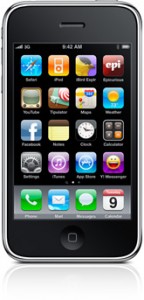
iphone3gs4 144x300 Apple responds to iPhone anti phishing confusionWith the new operating system installed, the iPhone has an anti-phishing feature, which protects users from malicious Web sites. However, some users may not have installed the new feature properly, leading to the false assumption that anti-phishing was not working properly.

We talked to Apple to find out what was going on and if the anti-phishing technology was working.

“Safari’s anti-phishing database is downloaded while the user charges their phone in order to protect battery life and ensure there aren’t any additional data fees,” Apple spokesman, Bill Evans, told The Loop. “After updating to iPhone OS 3.1 the user should launch Safari, connect to a Wi-Fi network and charge their iPhone with the screen off. For most users this process should happen automatically when they charge their phone.”

It is necessary for the iPhone to completely download the database before the anti-phishing feature can protect you against phishing Web sites. This will also allow Apple to update the anti-phishing database when needed to keep users protected.

Please take a minute to Tweet, Like, or Share this post with your friends.

Share


Follow me on Buzz Follow jdalrymple on Twitter

Email This Post Email This Post Print This Post Print This Post Post a comment

Discussion 8 comments so far

8 Responses to “Apple responds to iPhone anti-phishing confusion”

  1. Country boy says:

    Good to see someone has taken the time out to really find out what is happening before running his mouth.

    Thanks for the update Jim

  2. Walt says:

    ” “After updating to iPhone OS 3.1 the user should launch Safari, connect to a Wi-Fi network and charge their iPhone with the screen off. For most users this process should happen automatically when they charge their phone.” ”

    You think this might have been something worth mentioning. Sounds like they are saying Safari needs to be running in the foreground while charging with the screen off in order for this update to happen. Or is this just an alternate procedure in case the normal charging process doesn’t trigger the update?

    Also, what’s up with the doing it over wifi so that data plans dont get charged unkowingly? I guess this must be for a few countries where dataplans are not unlimited, or perhaps users traveling abroad are not going to pick up extra roaming data fees. Makes sense that way I guess.

    • Yes I happen to be in one of the “…few countries where dataplans are not unlimited…” namely Australia.

      Thanks Apple for the consideration.

    • charli says:

      the wifi is likely more cause it is less likely to drop the signal. and the ‘screen off’ means you won’t be doing stuff on it that might drop the download.

      i set mine up at home to do it overnight while I was asleep. not a big deal.

  3. Chas4 says:

    Any way to check when the anti-phishing database was last updated?

  4. Nate Mudge says:

    Is there anyway to even check to see if this has been applied? I did all of the things listed, and would like to check and see if it happened?

Leave a Reply

SEO Tool